SAT vocabulary · iOS app
WordRush
I made WordRush while studying SAT vocabulary. It tells me which words are due, which are new, and how long a review session may take.
- My role
- Product · design · SwiftUI
- Platform
- iPhone and iPad
- Latest version
- 1.7
- Status
- Live on the App Store
Product in use
The next study session.
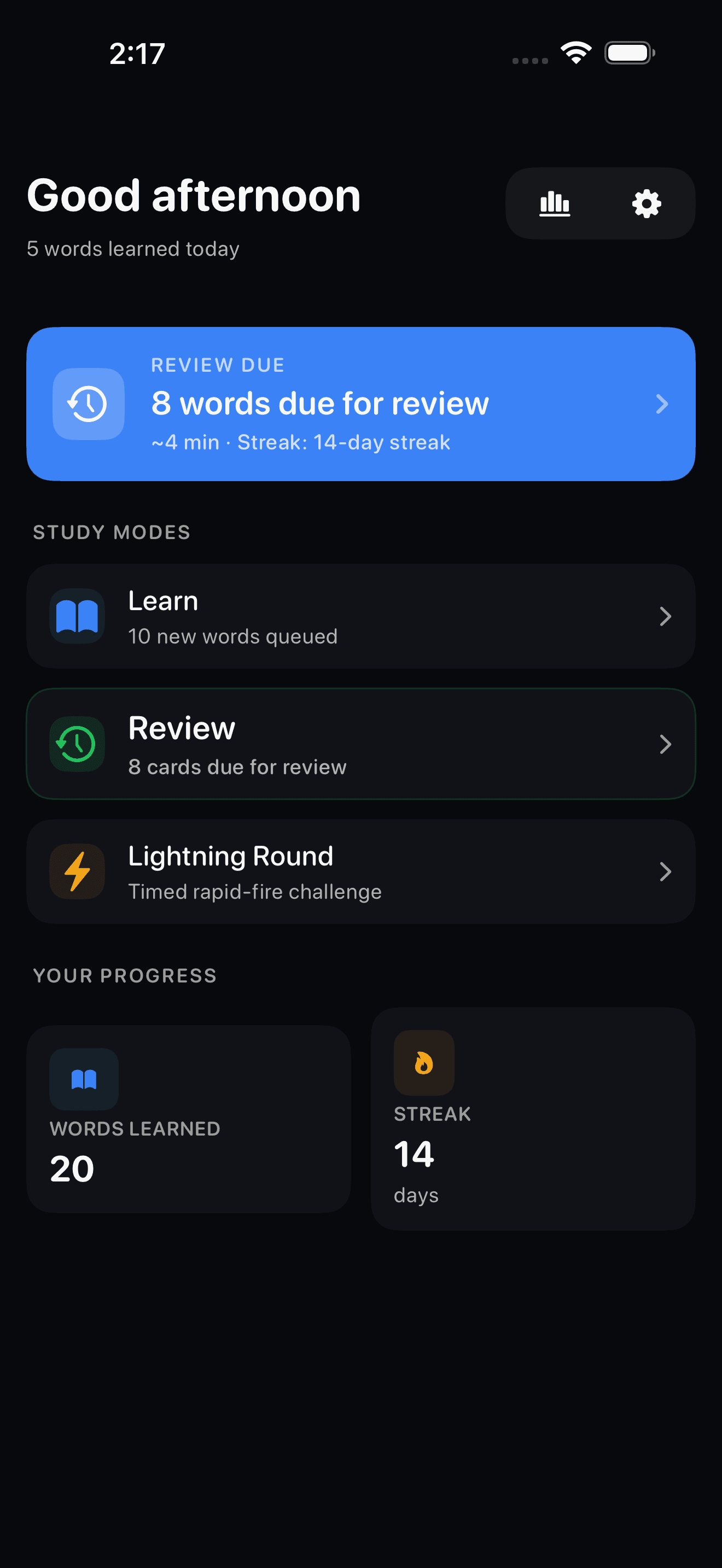
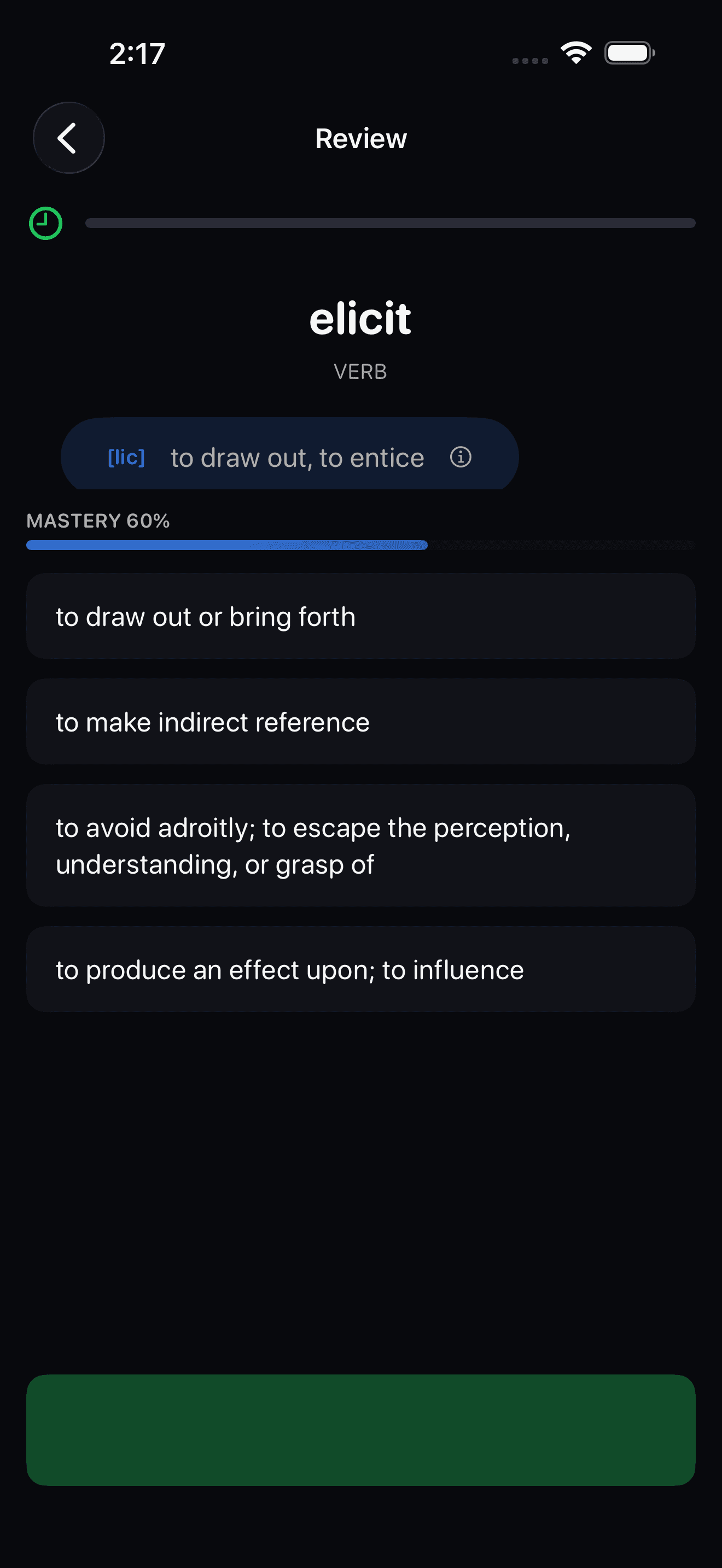
Due review, new words, and timed practice each start from a separate button.
Where I started
What should I study today?
I borrowed the spacing idea from SM-2, then wrote separate rules for Classic and Auto mode.
The home screen separates due words, words scheduled for later, and new words. It shows the review count and an estimate before I start.
What I built
How WordRush picks a review date.
A long vocabulary list made it hard to choose what to study next. WordRush gives each word a review date based on my answer.
Classic mode
My answer sets when a word comes back.
Again starts at 10 minutes, Hard at one day, Good at three days, and Easy at seven days. Later reviews also use the word’s streak, a difficulty score, and progress on prefixes. The app’s tests pin these starting intervals.
Auto mode
Auto mode uses my answer and response time.
Auto mode considers whether I was right and how long I took. It can bring a word back sooner after several misses or slow answers.
Other study modes
Timed practice has its own place.
Lightning rounds and daily challenges are timed; regular review is not. New-word sessions also stay separate from the due queue.
Choices I made
Put due words first.
Show what is due before the session.
The dashboard shows how many words are due and estimates the session length.
Keep new words out of review.
A learner can review words they have seen or start a session with new ones.
Show progress with the current word.
The app shows mastery and streaks on the study screens.