Classroom software · Sample-data demo
SimDeck
I built SimDeck from a sixth-grade teacher’s paper-card history activity. The public demo uses sample data to show student and teacher screens, card actions, and how a teacher can restore changes.
- My role
- Product · full-stack web
- Platform
- Responsive web app
- Started
- April 2026
- Status
- Public sample-data demo
Sample-data demo
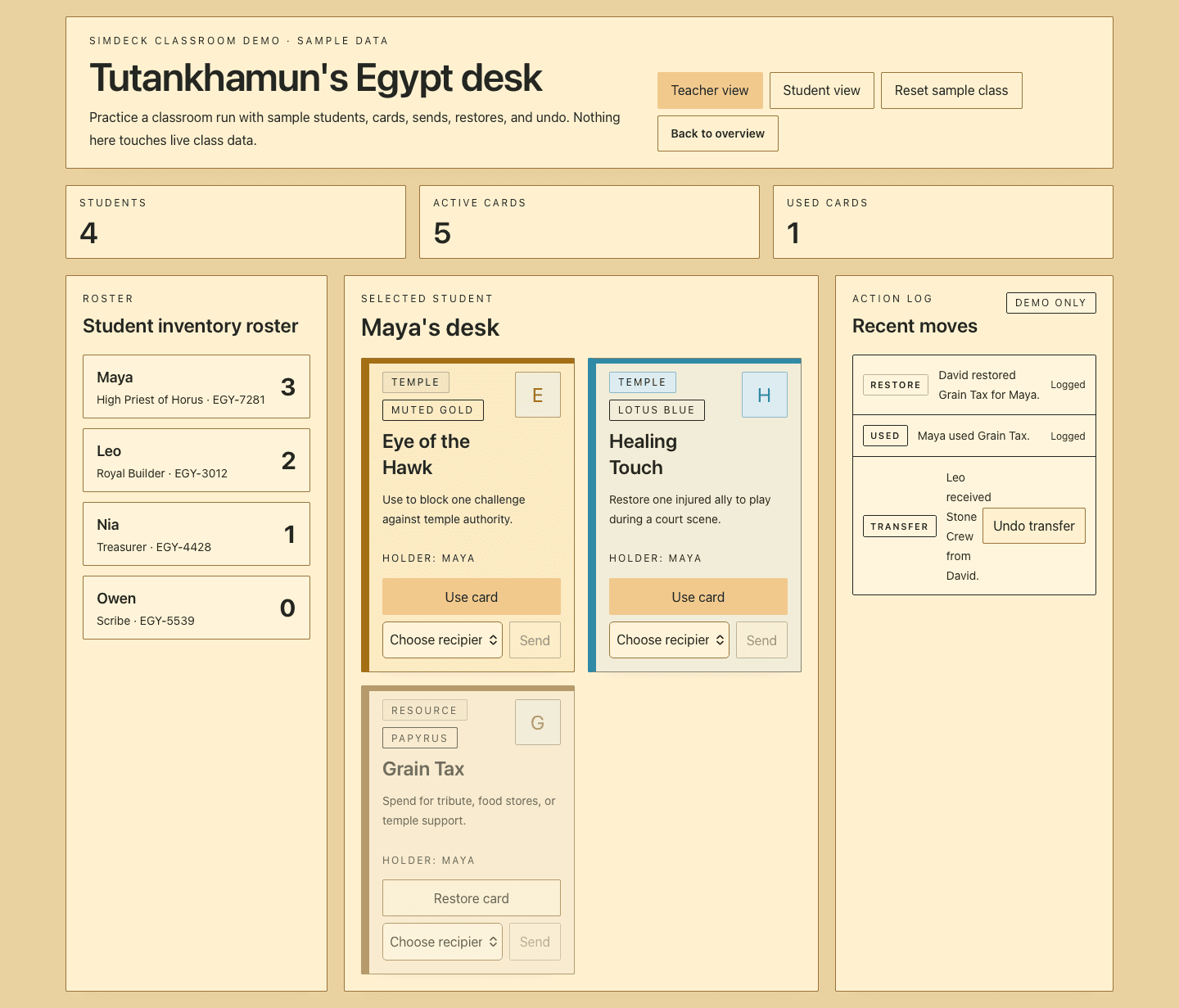
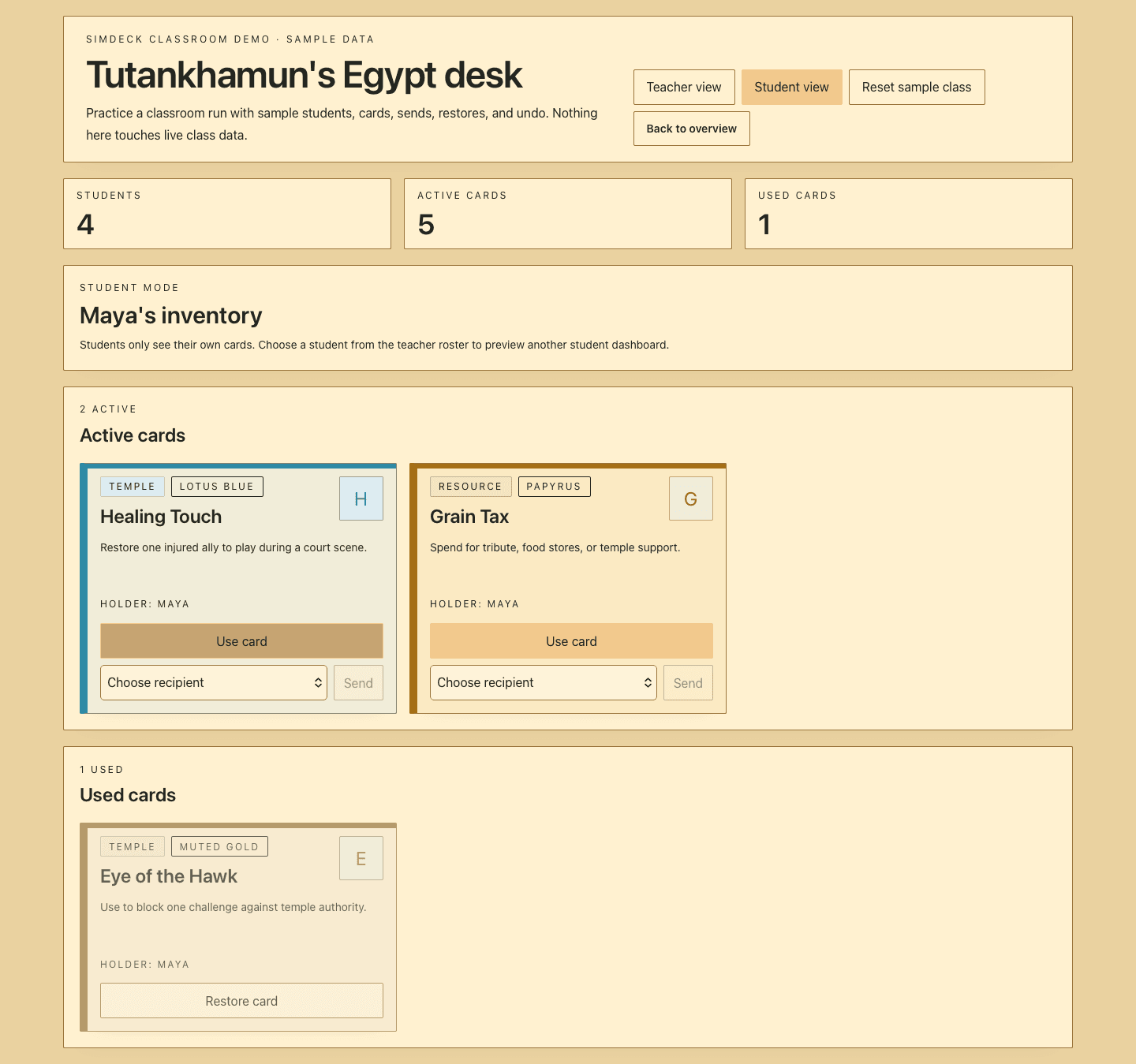
A student hand and the class view.
These are sample screens from the public demo. No real class data is shown.
01Teacher view
02Student view
Where I started
The lesson already had the rules.
Students used cards to represent resources, powers, and responsibilities. I kept that part of the activity and added screens for the student’s hand and the teacher’s class view.
The public demo uses sample names and cards. It lets visitors switch between the two views and try card actions without showing a real class roster.
What I built
From paper cards to student and teacher screens.
In the paper activity, students spent, traded, blocked, and restored cards. It was hard to keep track of who held each card.
Two roles
Students and teachers see different screens.
Students can use cards from their hand or send them to someone else. The teacher can see all hands and assign a set of role cards.
Card history
The teacher can undo a card change.
The app records card use, transfers, restores, and undo actions. The teacher can correct a mistake and continue the lesson.
Card sets
The teacher can reuse a set of cards.
Teachers can save card sets for the Egypt and China simulations or use the general classroom sets.
Choices I made
Give students and teachers different controls.
Show students only their hand.
Students can see which cards they hold, use them, or send them to someone else.
Keep restore controls with the teacher.
Restore and undo controls let a teacher fix card state during a lesson.
Use sample names in the public demo.
Visitors can switch between teacher and student views using sample data.